Archive and search webpages, PDFs, word docs and more
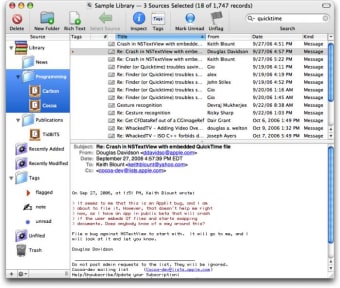
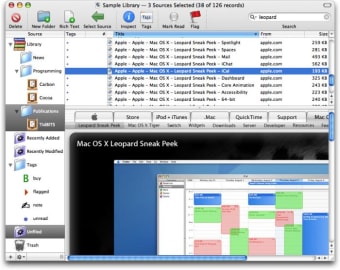
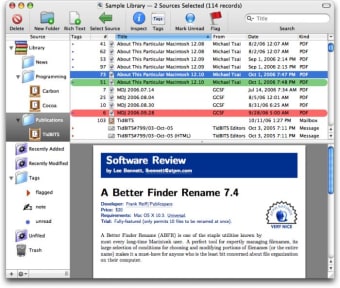
EagleFiler is a powerful way of managing your data and information. It lets you archive and search mail, web pages, PDF files, word processing documents, images, and more.A standard three-pane interface allows you to organize files and annotate them with tags and notes, or leave everything in one folder and use the search function to find them instantly.
Top Recommended Alternative

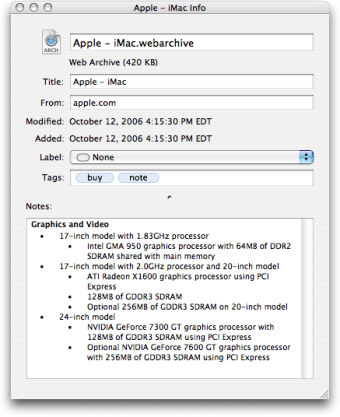
EagleFiler stores content in Finder format so you can also use Spotlight to find files. However, EagleFiler makes it somewhat easier to separate different file types.To archive data, all you need to do is import web pages, mail messages, PDFs, or any file. EagleFiler then offers you the opportunity to encrypt the files, add tags, notes, color-coded labels, and other metadata which you can use to browse data.
However, although EagleFiler generally uses formats that can be read by any application, it can occasionally archive Mail files into something that can´t be re-imported easily.This can be easily fixed via the Help Guide but it's not an entirely uncomplicated process. EagleFiler is an elegant and powerful archiving tool that could be one way of moving towards a paperless office.
Changes
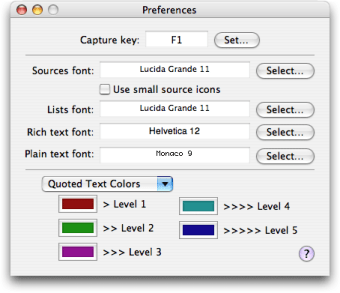
Adjusted the fonts, styles, and colors in the Tag Cloud window so that it’s easier to read. EagleFiler’s viewer displays more information for vCard files: categories, notes, phonetic/maiden/related names, related dates, social network profile URLs, etc. Added the Remove Duplicate Files script Added the Import From Scanner script. Save this script as an application and set it as the target of your scanner software (e.g. the Fujitsu ScanSnap Manager). When you scan a file, EagleFiler will prompt you to enter a title and other metadata and then import the scan into your library EagleFiler’s capture key now works with Opera 11.50 It is now possible to empty a library’s trash via AppleScript When editing plain text or RTF files on Mac OS X 10.7, EagleFiler no longer uses atomic (a.k.a. safe) saving because this exposes bugs in Lion’s file versioning feature, causing interoperability problems with applications such as TextEdit if you’re editing the same file in more than one application at a time EagleFiler now takes you out of search mode when you click on a different source. You can restore the old behavior via the ClearSearchWhenChangingSources esoteric preference if desired Added the PDFWebBackgrounds esoteric preference, which can be used to prevent EagleFiler from drawing colored backgrounds when importing a Web page in PDF format Added the ErrorsOpenForDuplicates esoteric preference. Normally, EagleFiler will open the Errors window when a file has been skipped during an import because it’s a duplicate. However, you can also set EagleFiler to log the error without opening the window, for example if you expect there to be duplicates and don’t care to see them reported Added the TextToolSkippedNames esoteric preference so that it’s now possible to skip indexing of files that cause Core PDF to hang EagleFiler is better at closing a library while operations are in progress Worked around an OS bug so that EagleFiler is once again able to capture from smart mailboxes in Apple Mail EagleFiler’s Spotlight importer plug-in works better with FoxTrot The default plain text font is now Menlo 11 rather than Monaco 10 Fixed a problem where the window title would be too long if you had a large number of sources selected Fixed a bug that could in rare circumstances cause EagleFiler to create two records for a single file Fixed a bug importing a legacy/archive Apple Mail .mbox package via Scan for New Files Fixed a bug where EagleFiler wouldn’t give up on rebuilding a mailbox when the file didn’t exist Updated various screenshots and documentation